Real-time delivery updates, zero “where is my order?” calls
Provide live shipment tracking, delivery ETAs and rescheduling on WhatsApp, and keep drivers, hubs and customers coordinated on autopilot.
- No credit card needed
- Setup in 5 mins
- Official WhatsApp API
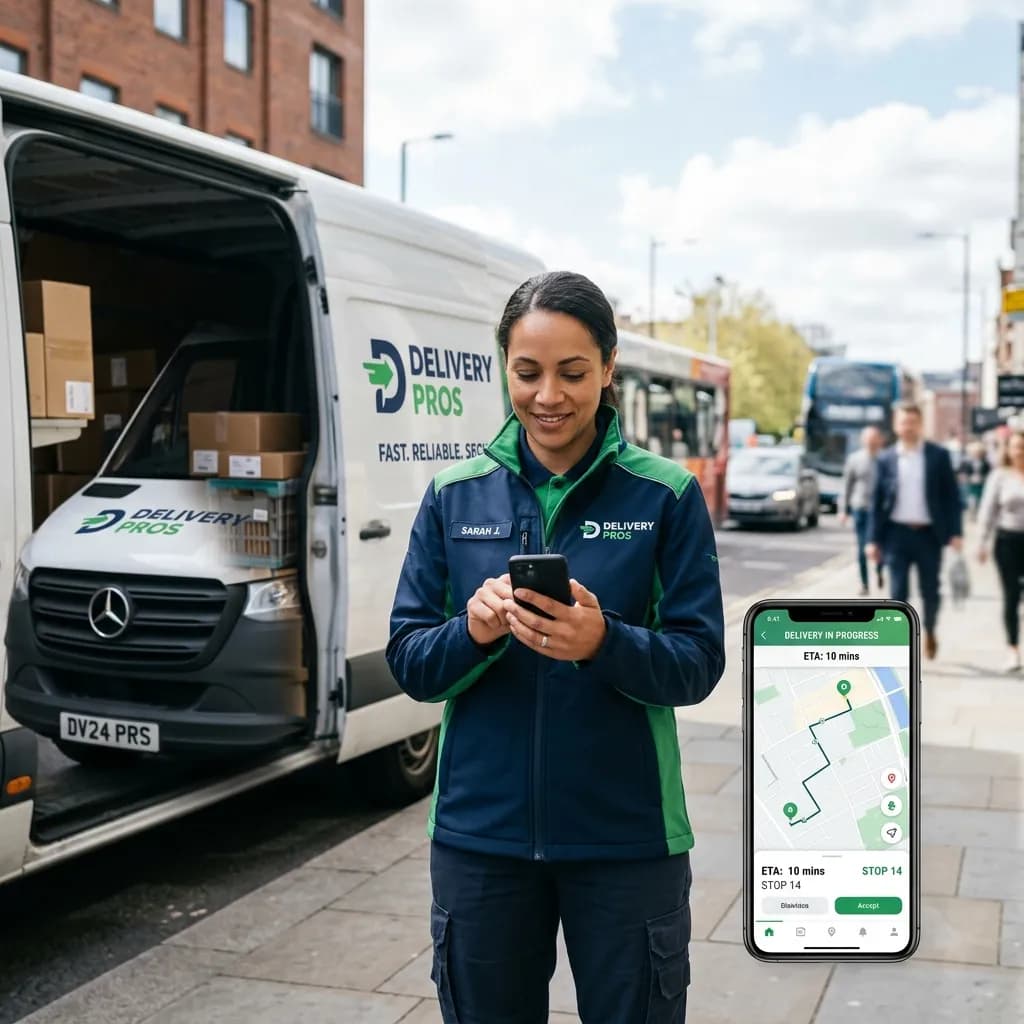
Why businesses choose Chatbox AI for
Logistics
Fewer failed deliveries
Customers confirm availability or pick a new slot before the driver sets out, so fewer parcels come back.
Lower WISMO volume
Proactive status updates and a tracking bot answer the most common support question automatically.
Coordinated field teams
Route customer replies to the right hub or driver team from a single shared inbox.
Powerful capabilities
to scale on WhatsApp
Everything you need to automate conversations and drive conversions.
Every milestone, proactively
Automated delivery updates
Send picked up, in transit, out for delivery and delivered notifications as utility templates, each with the tracking link and expected date. Updates trigger from your transport management system via API or webhooks.
- Milestone templates for every shipment status
- Tracking links and expected delivery dates
- Delivery, read and reply tracking per message
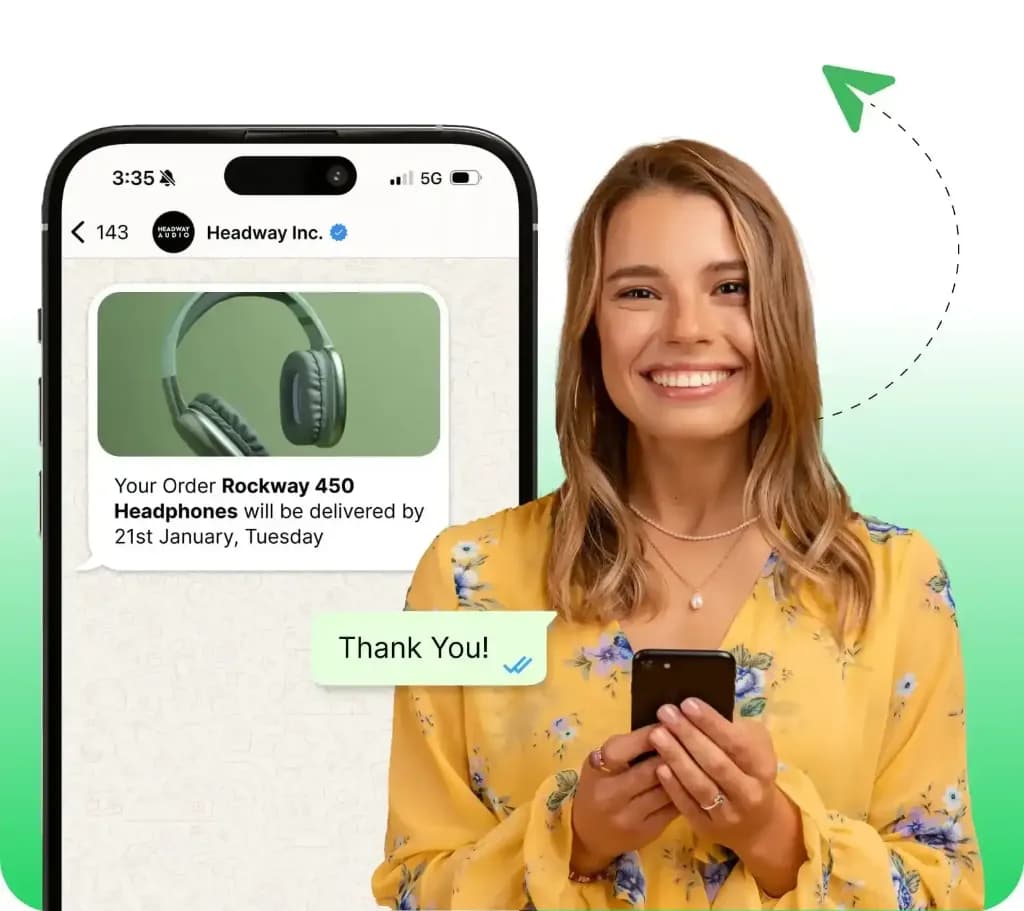
Self-serve tracking in chat
“Where is my order?” bot
Customers type “track my order” and the AI router recognises the intent, looks up the shipment through your API and replies with the current status in seconds, no agent needed.
- AI intent detection for tracking queries
- Real-time lookup from your tracking system
- Escalation to an agent for exceptions
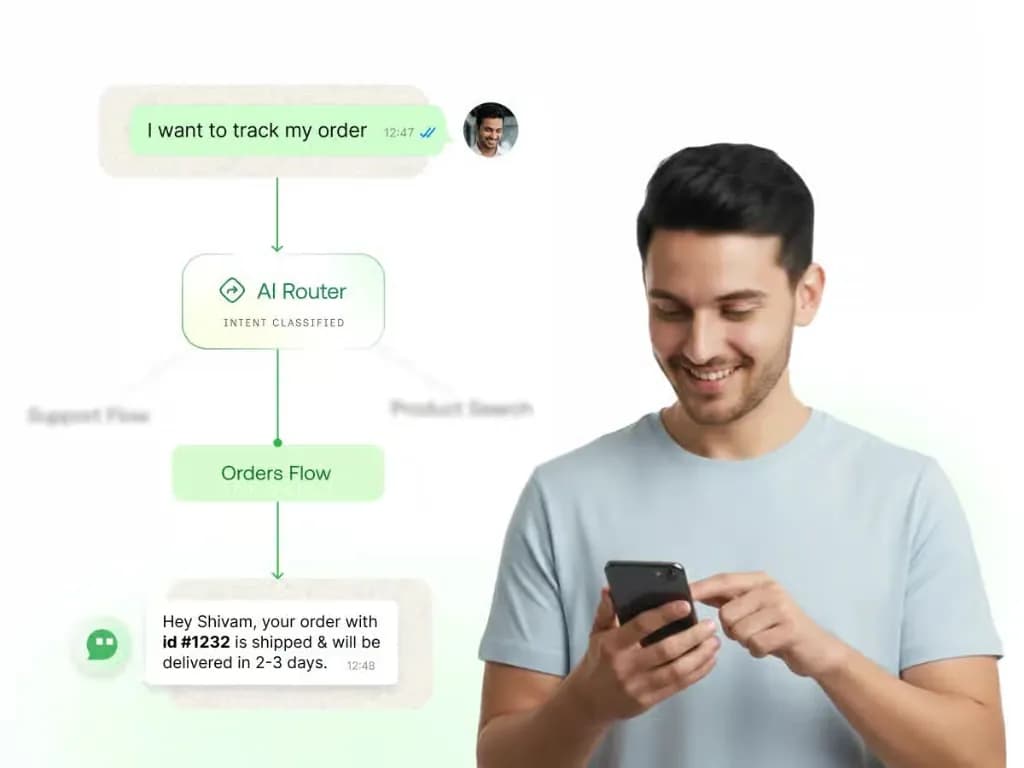
Customers choose the slot
Delivery rescheduling
Before dispatch, ask customers to confirm they'll be available. If not, they pick a new slot or update their address with interactive buttons and lists, and the change flows back to your system.
- Confirm, reschedule or update address buttons
- Slot selection with interactive list messages
- Changes sync back via webhooks
One inbox for field operations
Driver and hub coordination
Route customer replies about gate codes, landmarks or delivery instructions to the right hub team. Agents see the full shipment context and can share updates with drivers without exposing personal phone numbers.
- Rule-based routing by hub, region or shipment type
- Private notes for internal handovers
- Business number shown instead of personal numbers
How teams use
Logistics
Shipment milestones
Pickup, in-transit, out-for-delivery and delivered alerts.
Tracking bot
Instant status replies for “where is my order?” questions.
Slot rescheduling
Customers pick a new delivery window in the chat.
Address confirmation
Verify addresses and landmarks before dispatch.
COD and freight payments
Share payment links for COD or freight charges.
Delivery feedback
Collect a rating right after delivery is completed.
Questions about
Logistics
Got questions about Logistics? We've got answers.
Create utility templates for each shipment milestone, then trigger them from your transport management system through the Chatbox AI REST API or webhooks. Each message can include the tracking link, AWB number and expected delivery date.
How do I send shipment tracking updates on WhatsApp? Create utility templates for each shipment milestone, then trigger them from your transport management system through the Chatbox AI REST API or webhooks. Each message can include the tracking link, AWB number and expected delivery date.
Can customers reschedule deliveries on WhatsApp? Yes. Send a pre-delivery message with Confirm and Reschedule buttons. Customers who reschedule choose a new slot from an interactive list, and Chatbox AI sends the change back to your system through a webhook so the route can be updated.
Can a chatbot answer “where is my order” questions? Yes. Chatbox AI's AI routing recognises tracking questions, asks for the order or AWB number if needed, fetches the status from your API and replies instantly. Exceptions such as damaged parcels are handed to an agent with full context.
Does it work at high volume? Yes. Chatbox AI runs on the official WhatsApp Cloud API. Your daily sending limit follows Meta's messaging tiers of 1K, 10K, 100K and unlimited unique customers, which increase as your number maintains good quality.
Can drivers use WhatsApp without sharing personal numbers? Customer conversations stay on your business number in the shared inbox. Hub agents relay instructions to drivers internally, so customers never see a driver's personal phone number and every exchange is recorded against the shipment.
Keep exploring

Your next 10,000 customers are already on WhatsApp.
Broadcast, automate, sell and support on the official WhatsApp Cloud API. Go live in under 2 minutes.
- 7-day free trial
- No credit card
- Cancel anytime