Bulk WhatsApp campaigns that get replies.
Launch personalised, high-converting WhatsApp campaigns to thousands of opted-in customers in one click: with images, offer codes and tappable buttons, fully compliant with Meta policy.
- No credit card needed
- Setup in 5 mins
- Official WhatsApp API
Why businesses choose Chatbox AI for
WhatsApp Broadcast
Read where they already are
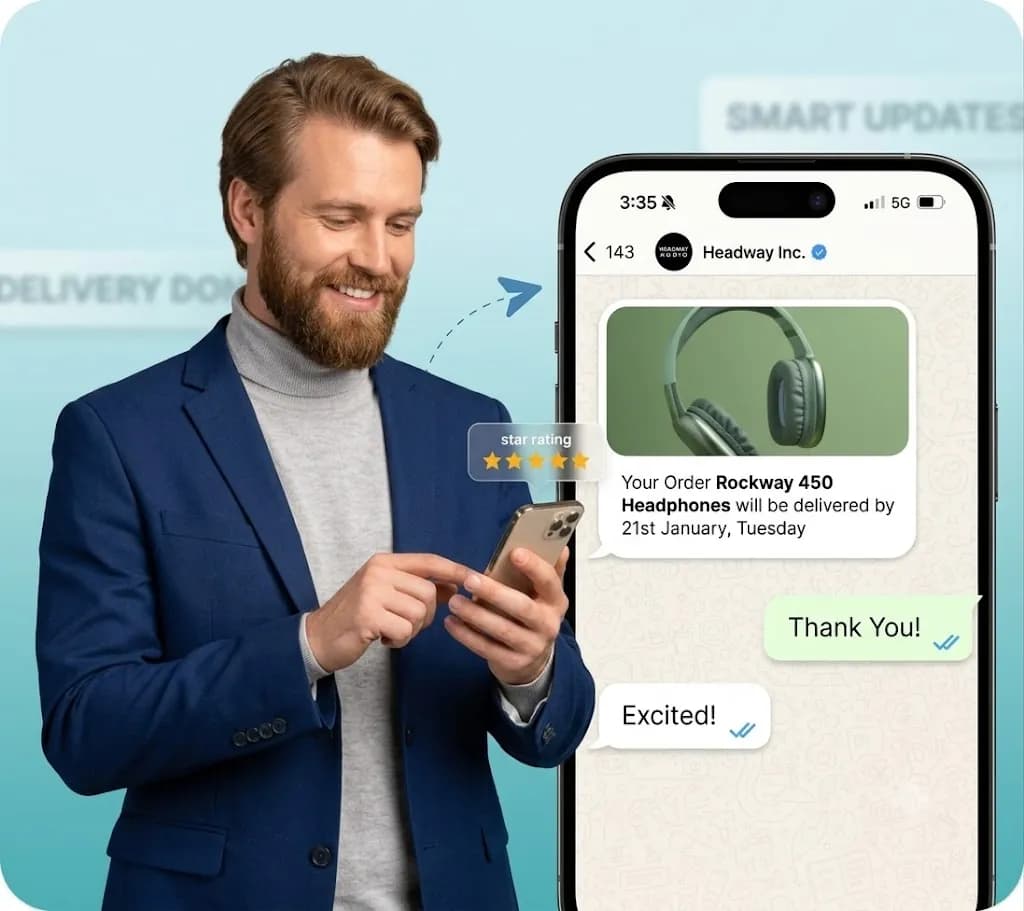
Reach customers in the thread they already use, with images and buttons, and track delivered and read counts from Meta's own receipts.
Instant ROI
Drive traffic straight to your store with tappable CTA buttons, coupon codes and rich media offers that convert on the spot.
No algorithm limits
Unlike social feeds, your message isn't filtered by an algorithm, it lands directly in the customer's chat list.
- Meta daily messaging tiers
- 1K → ∞
- Messages per second on Pro
- 250/sec
Powerful capabilities
to scale on WhatsApp
Everything you need to automate conversations and drive conversions.
Thousands of chats, one click
Bulk messaging campaigns
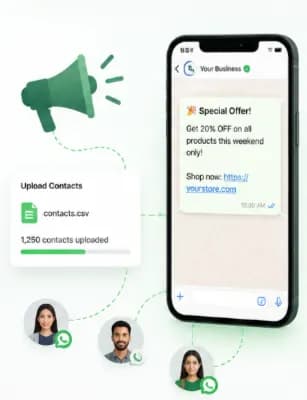
Upload a CSV of opted-in contacts or pick a saved segment, choose a pre-approved template, personalise it with variables like name and order value, and hit send. Chatbox AI handles throttling and delivery so you stay compliant with Meta policies.
- CSV upload or saved audience segments
- {{name}}, {{coupon}} and custom variables
- Images, videos, PDFs and CTA buttons
Send at the perfect moment
Smart scheduling
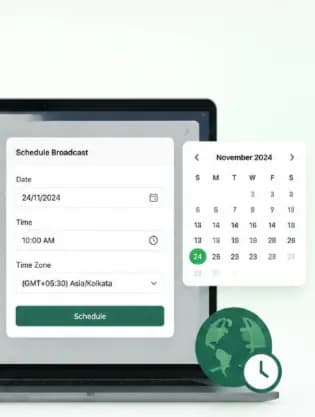
Planning a Diwali or Black Friday sale? Schedule campaigns weeks in advance and send them when your audience is most likely to buy, including across time zones for international customers.
- Schedule date and time in advance
- Time-zone aware delivery
- Pause or edit before send
Know what worked
Actionable campaign analytics
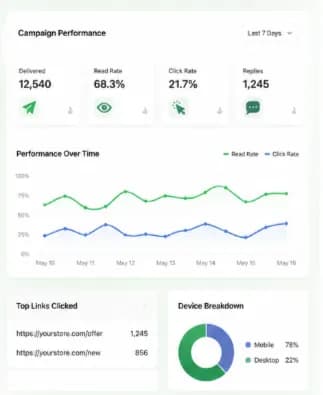
See sent, delivered, read, clicked and replied counts in near real time. Find out who tapped your link and who replied, then retarget them in your next campaign (CSV exports on the Pro and Scale plans).
- Delivery, read and click-through rates
- Reply and button-tap tracking
- Retarget readers and clickers in one click
Set up WhatsApp Broadcast
in minutes
- 1
Upload contacts
Import opted-in contacts from a CSV, Shopify or your CRM, or choose an existing segment.
- 2
Pick a template
Select a Meta-approved marketing or utility template and fill in personalisation variables and media.
- 3
Schedule or send
Send immediately or schedule for the best time; Chatbox AI paces delivery within your messaging tier.
- 4
Track results
Watch delivered, read, click and reply rates live, then retarget engaged customers.
How teams use
WhatsApp Broadcast
E-commerce promotions
Flash-sale alerts, restock notifications and exclusive discount codes for your best customers.
Event reminders
Share webinar links, venue details and last-minute schedule changes instantly.
Re-engagement
Win back inactive customers with targeted, personalised offers based on past purchases.
Festive campaigns
Plan Diwali, Holi and end-of-season sale blasts in advance with scheduled sends.
Service announcements
Tell customers about new branches, timings or policy changes on the channel they read.
Due-date nudges
Send renewal and due-date reminders on a schedule, and stop the sequence once your system reports it is settled.
Questions about
WhatsApp Broadcast
Got questions about WhatsApp Broadcast? We've got answers.
Yes, as long as you use a Meta-approved marketing template and the customer has opted in to receive messages from your business. Chatbox AI helps you collect opt-ins through website widgets, QR codes and Click-to-WhatsApp ads.
Can I send promotional messages on WhatsApp? Yes, as long as you use a Meta-approved marketing template and the customer has opted in to receive messages from your business. Chatbox AI helps you collect opt-ins through website widgets, QR codes and Click-to-WhatsApp ads.
How many WhatsApp broadcast messages can I send per day? Meta sets a daily messaging limit per number: 1K, 10K, 100K or unlimited unique customers in a rolling 24 hours. New numbers start at the lower tier and move up automatically as you send high-quality campaigns that customers don't block or report.
Do I get charged per broadcast message? Meta charges for business-initiated messages by category and destination country, separately from your Chatbox AI plan. For India, rates from 1 October 2026 are ₹1.09 for marketing and ₹0.145 for utility messages. See the pricing page for the full breakdown.
What is the difference between WhatsApp broadcast lists and API broadcasts? Broadcast lists in the WhatsApp Business App are limited to 256 contacts per list and only reach people who saved your number. API broadcasts through Chatbox AI reach any opted-in contact, scale to your Meta tier, support buttons and give full analytics.
Will my number get banned for sending bulk messages? Not if you follow Meta's rules: message only opted-in users, use approved templates, and keep content relevant. Chatbox AI shows your number's quality rating so you can spot problems early, and supports opt-out keywords automatically.
Can I personalise each broadcast message? Yes. Templates support variables such as customer name, order ID, coupon code or city, filled from your contact attributes or CSV columns, so every customer receives a message that feels one-to-one.
Keep exploring
Your next 10,000 customers are already on WhatsApp.
Broadcast, automate, sell and support on the official WhatsApp Cloud API. Go live in under 2 minutes.
- 7-day free trial
- No credit card
- Cancel anytime