Put your customer journey on autopilot.
Build rules, triggers and sequences that run in the background: welcome new leads, recover carts, send order updates and follow up on time, every time, without anyone lifting a finger.
- No credit card needed
- Setup in 5 mins
- Official WhatsApp API
Why businesses choose Chatbox AI for
WhatsApp Automation
Save hundreds of hours
Automate manual follow-ups, reminders and data entry so your team can focus on selling and solving.
Consistent experience
Every customer gets the same timely, high-quality onboarding and follow-up, no matter who is on shift.
Higher conversions
Automated drip sequences nurture leads far more reliably than manual outreach that slips through the cracks.
Powerful capabilities
to scale on WhatsApp
Everything you need to automate conversations and drive conversions.
One word starts the journey
Keyword triggers
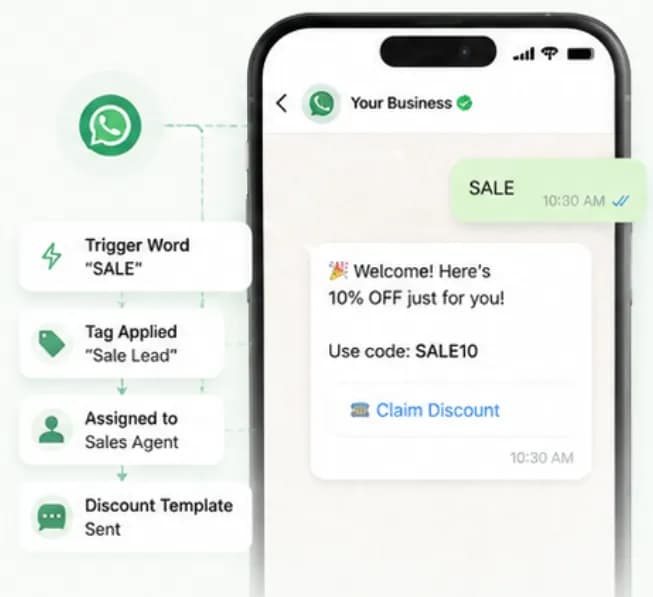
Run a billboard or Instagram post that says "WhatsApp SALE to our number". When someone sends SALE, Chatbox AI tags them, assigns them to a sales agent and fires a welcome-discount template automatically.
- Exact, contains and fuzzy keyword matching
- Auto-tag, assign and start a flow
- Great for offline ads, QR codes and packaging
Nurture on a schedule
Drip campaigns (sequences)
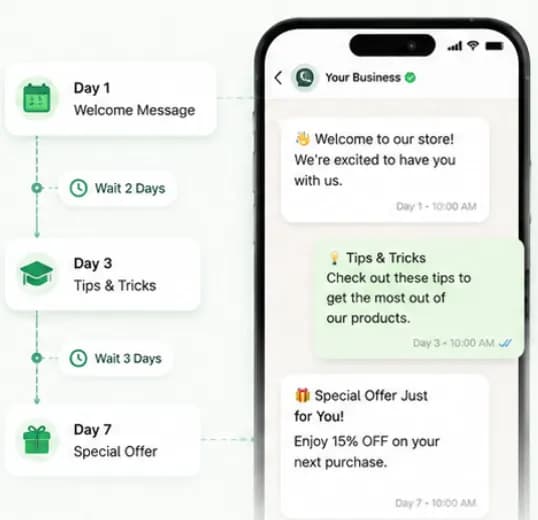
Send a series of messages over days or weeks: Day 1 welcome, Day 3 tips, Day 7 special offer. Sequences stop automatically when the customer replies or buys, so nobody gets irrelevant nudges.
- Delays in minutes, hours or days
- Exit conditions on reply or purchase
- Template messages outside the 24-hour window
React to your store and CRM
Event-based messages
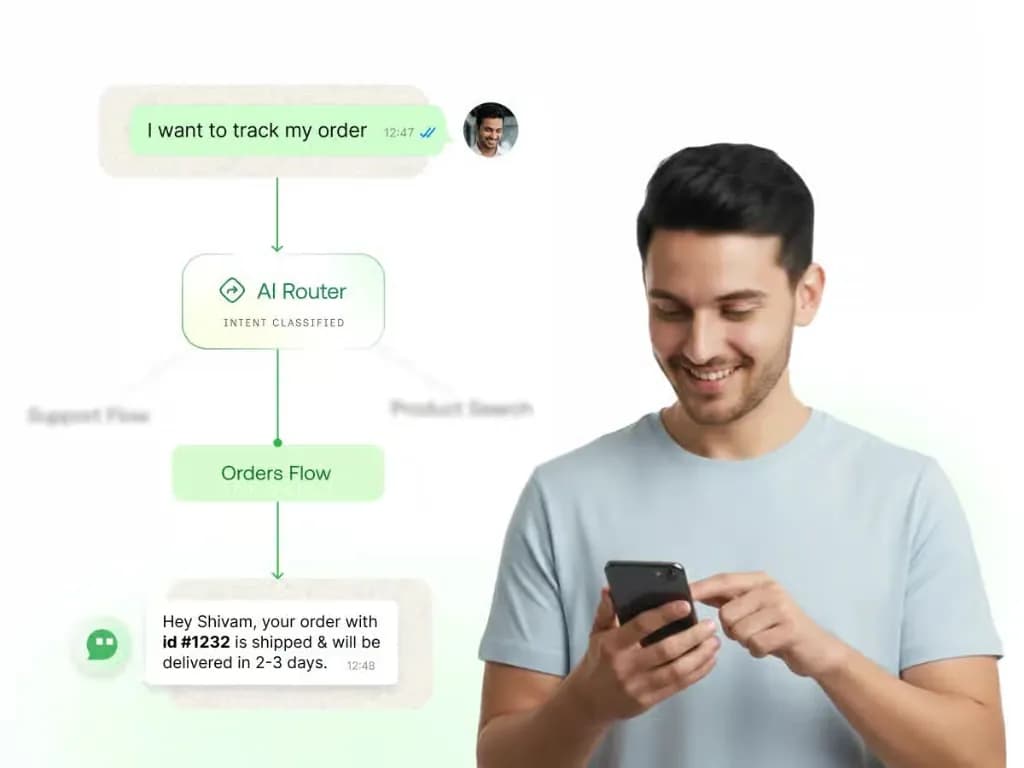
Trigger WhatsApp messages from the WooCommerce or Shopify plugin, or from any system of your own over the REST API: order placed, cart abandoned, order shipped or delivered.
- WooCommerce and Shopify store events
- Calls from any backend over the REST API
- Order confirmation, COD verification and shipping updates
Never leave a customer hanging
Away messages and business hours
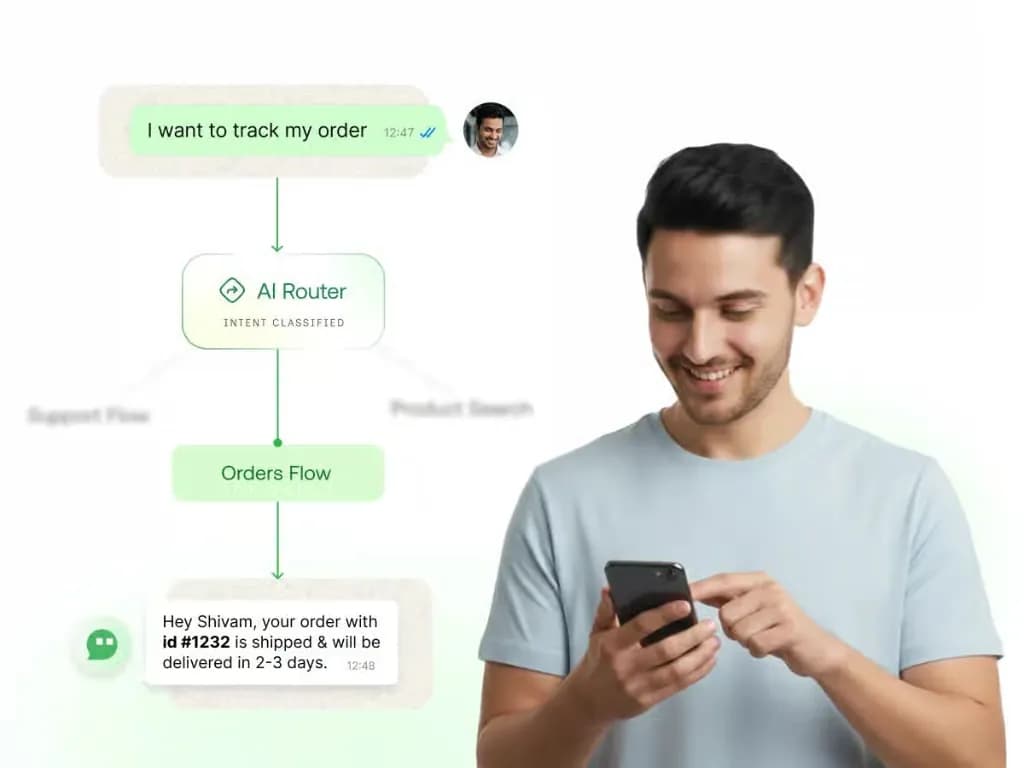
Set working hours and holidays. Outside them, customers get a friendly away message plus a self-serve menu, track an order, read FAQs or leave a callback request, until your team is back.
- Per-team working hours and holidays
- Self-serve menu while agents are offline
- Chats queued and assigned at opening time
Set up WhatsApp Automation
in minutes
- 1
Choose a trigger
Pick a keyword, a new contact, a tag change, a WooCommerce or Shopify store event, or an API call from your own backend.
- 2
Add conditions
Filter by tags, attributes or time so the automation only runs for the right customers.
- 3
Define actions
Send a template, start a chatbot flow, add a tag, assign an agent or wait before the next step.
- 4
Activate and monitor
Switch it on and track sends, replies and conversions in Analytics.
How teams use
WhatsApp Automation
Abandoned cart recovery
Send a WhatsApp reminder with the cart items an hour after checkout is abandoned.
Post-purchase onboarding
Show new buyers how to use their product with a short, helpful sequence.
Feedback collection
Ask for a rating 24 hours after an order is marked delivered.
COD order confirmation
Confirm cash-on-delivery orders before dispatch to cut RTO losses.
Renewal reminders
Nudge customers before subscriptions, EMIs or policies are due.
Lead nurturing
Follow up on ad leads automatically until they book a demo or visit.
Questions about
WhatsApp Automation
Got questions about WhatsApp Automation? We've got answers.
Yes. The native Shopify integration triggers WhatsApp messages on events such as order placed, cart abandoned, order fulfilled and delivered, so you can run confirmations, COD verification and cart recovery without code.
Can I integrate WhatsApp automations with Shopify? Yes. The native Shopify integration triggers WhatsApp messages on events such as order placed, cart abandoned, order fulfilled and delivered, so you can run confirmations, COD verification and cart recovery without code.
How is automation different from the chatbot? The chatbot handles two-way conversational flows when a customer messages you. Automations are background rules, triggers and delayed sequences, for example sending a reminder three days after sign-up, that run even when the customer hasn't said anything.
Can automations message customers after 24 hours? Yes, using Meta-approved template messages. Inside the 24-hour customer service window you can send free-form replies; outside it, WhatsApp requires an approved template, which Chatbox AI selects automatically in sequences.
Which plans include drip campaigns? Keyword triggers are available on every plan, including Starter (₹1,500/month). Drip campaigns and AI-powered routing are included from Growth (₹3,200/month) upwards, and webhook integrations from Pro (₹9,100/month). Every plan starts with a 7-day free trial.
Can I set up an automatic away message on WhatsApp API? Yes. Define business hours and holidays per team, and Chatbox AI automatically sends an away message with a self-serve menu outside those hours, then assigns the chat to an agent when the team is back online.
Keep exploring
Your next 10,000 customers are already on WhatsApp.
Broadcast, automate, sell and support on the official WhatsApp Cloud API. Go live in under 2 minutes.
- 7-day free trial
- No credit card
- Cancel anytime